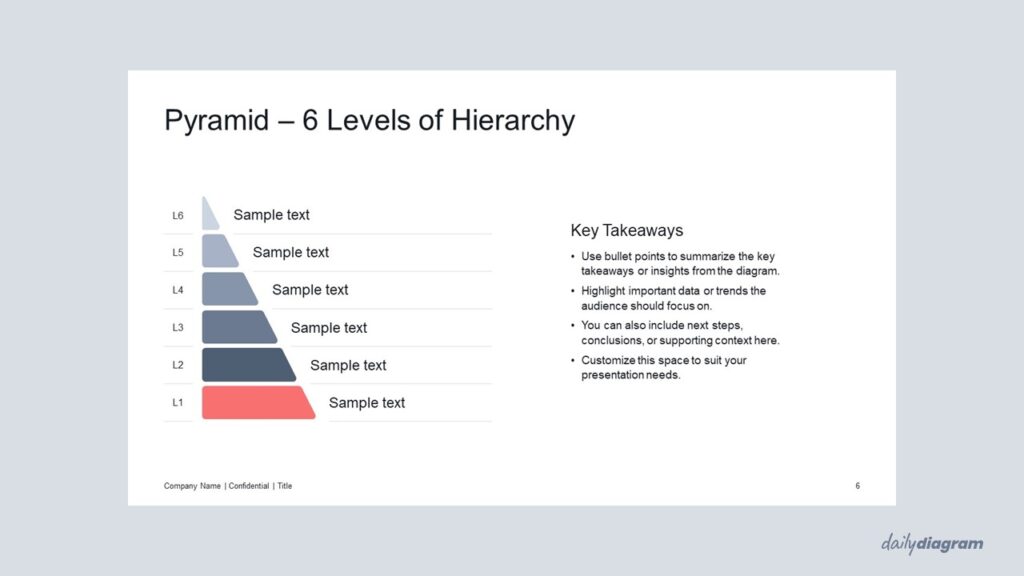
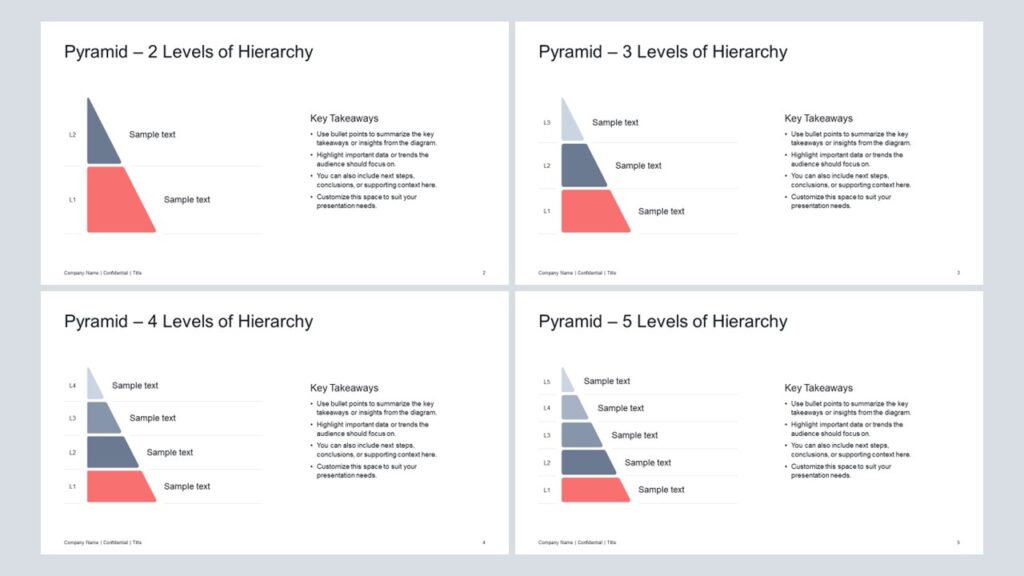
A rounded vertical cut pyramid diagram for PowerPoint designed to illustrate hierarchies, layered structures, or frameworks with clarity, flexible layouts, and impactful visuals for presentations.
Get this diagram:
About This Diagram
The vertical cut pyramid diagram, often referred to as a half pyramid, is a versatile way to present layered information while keeping the layout clean and modern.
It highlights hierarchical levels stacked from bottom to top, with a clear left-aligned structure that makes it easy to follow.
This layout works well for showcasing processes, priorities, or step-by-step strategies in a simplified way.
The design includes 2–6 levels, giving flexibility for both high-level overviews and more detailed explanations. Fully editable in PowerPoint, you can adjust text, colors, and shapes to fit your presentation style.
If you prefer a full pyramid structure instead of the half pyramid, take a look at the Pyramid with Rounded Corners.
Key Features & Specs
Universal Features
- Fully Editable: Easily change text, colors, and layouts to match your needs.
- 16:9 Aspect Ratio: Optimized for modern screens and presentations.
- High-Quality Visuals: Professional, clear design that looks polished in any context.
- Structured Object Naming: All elements are neatly labeled in the Selection Pane for fast, intuitive editing.
- Multi-Purpose: Ideal for meetings, projects, strategy sessions, and personal organization.
- PowerPoint Ready: Works entirely within PowerPoint; no extra software needed.
- Google Slides Compatible: Most diagrams can be used in Google Slides by opening the .ppt file. Some advanced effects (like text transforms or animations) may not be fully supported.
Diagram-Specific Features:
- Illustrate proportional data in a vertical hierarchy in editable PowerPoint slides.
- Clean visualization of layered information for presentations.