A PowerPoint Eisenhower Matrix diagram designed to organize tasks by urgency and importance, helping prioritize decisions with clarity, editable layouts, and bold visuals for presentations.
Get this diagram:
About This Diagram
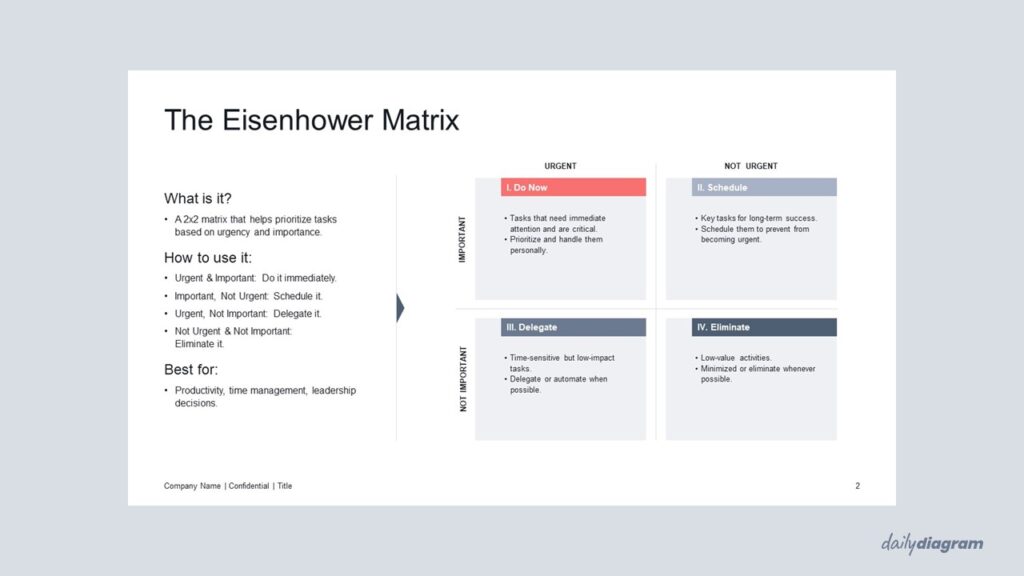
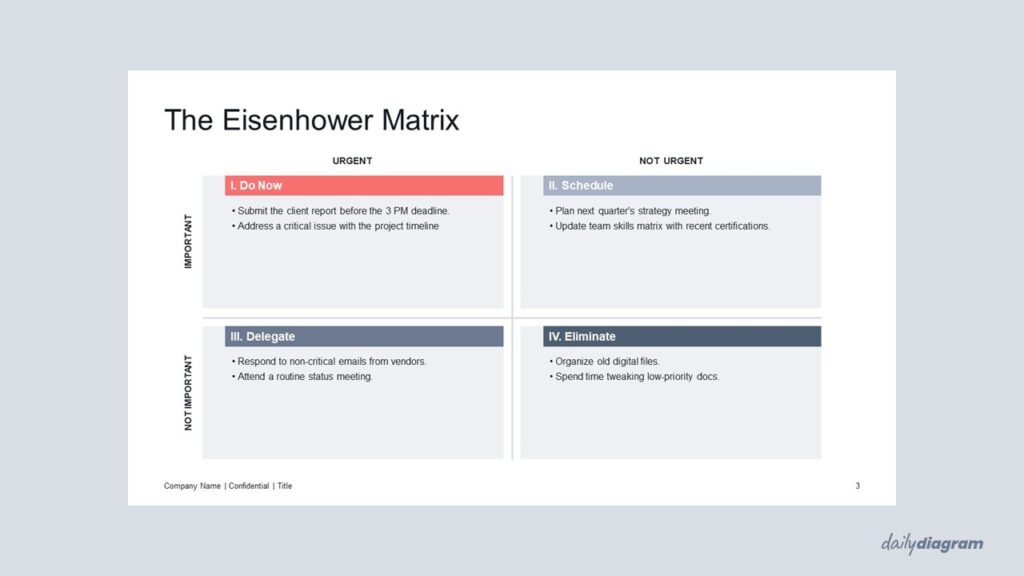
The Eisenhower Matrix is a powerful time management and productivity tool used to prioritize tasks based on their urgency and importance. This diagram helps you organize your to-do list by categorizing tasks into four quadrants:
- Urgent and Important: Tasks that require immediate attention and are crucial for your goals.
- Not Urgent but Important: Tasks that are important for long-term success but don’t require immediate action.
- Urgent but Not Important: Tasks that are urgent but don’t significantly contribute to your goals.
- Neither Urgent nor Important: Tasks that are distractions and can be eliminated or delegated.
This matrix is particularly useful for professionals, project managers, and anyone looking to improve their time management skills. By categorizing your tasks effectively, you can focus on what matters most, delegate tasks that don’t require your attention, and minimize time spent on distractions. The Eisenhower Matrix will help you stay organized, make better decisions, and increase your overall productivity.
Whether you’re working on a personal to-do list or organizing your work tasks, this diagram will help you maintain clarity and structure in your daily tasks. The Eisenhower Matrix for PowerPoint is fully customizable, allowing you to easily adjust it to your specific needs.
If you prefer a more minimal style of a similar diagram, take a look at the Urgent vs Important Matrix.
Key Features & Specs
Universal Features
- Fully Editable: Easily change text, colors, and layouts to match your needs.
- 16:9 Aspect Ratio: Optimized for modern screens and presentations.
- High-Quality Visuals: Professional, clear design that looks polished in any context.
- Structured Object Naming: All elements are neatly labeled in the Selection Pane for fast, intuitive editing.
- Multi-Purpose: Ideal for meetings, projects, strategy sessions, and personal organization.
- PowerPoint Ready: Works entirely within PowerPoint; no extra software needed.
- Google Slides Compatible: Most diagrams can be used in Google Slides by opening the .ppt file. Some advanced effects (like text transforms or animations) may not be fully supported.
Diagram-Specific Features:
- Highlight milestones, deadlines, and progress at a glance.
- Easily adjust shapes and colors to fit your presentation style.