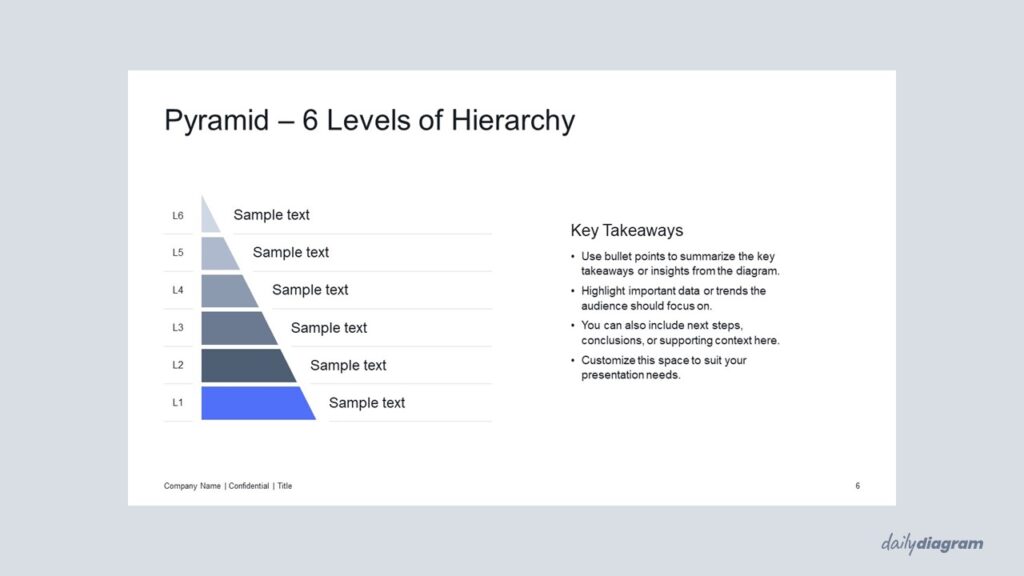
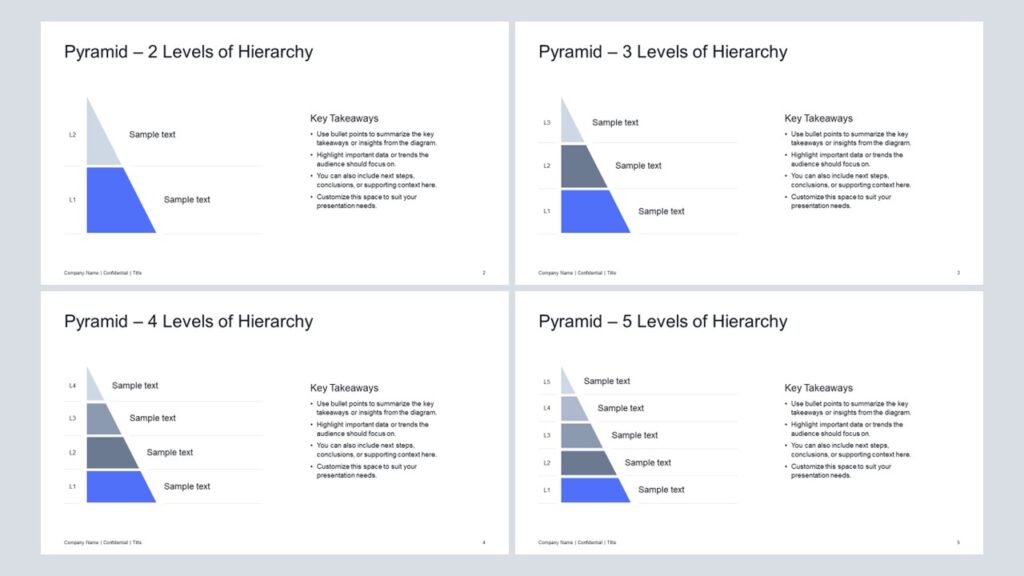
A sharp-cornered vertical cut pyramid diagram for PowerPoint that presents hierarchies, layers, or structures with clarity, editable layouts, and bold visuals for professional presentations.
Get this diagram:
About This Diagram
The vertical cut pyramid diagram with sharp corners, also known as a half pyramid, offers a clean and professional way to present hierarchical information.
Its crisp, angular design gives a structured and authoritative look, making it suitable for business, corporate, or strategy presentations.
The left-aligned layers emphasize progression and clarity, guiding the audience through steps, levels, or priorities in a straightforward manner.
With 2–6 levels included, it adapts easily to different contexts, from simple overviews to detailed breakdowns. Fully editable in PowerPoint, you can customize colors, text, and shapes to match your presentation style.
If you prefer a full pyramid structure with sharp corners instead of the half pyramid, take a look at the Pyramid with Sharp Corners.
Key Features & Specs
Universal Features
- Fully Editable: Easily change text, colors, and layouts to match your needs.
- 16:9 Aspect Ratio: Optimized for modern screens and presentations.
- High-Quality Visuals: Professional, clear design that looks polished in any context.
- Structured Object Naming: All elements are neatly labeled in the Selection Pane for fast, intuitive editing.
- Multi-Purpose: Ideal for meetings, projects, strategy sessions, and personal organization.
- PowerPoint Ready: Works entirely within PowerPoint; no extra software needed.
- Google Slides Compatible: Most diagrams can be used in Google Slides by opening the .ppt file. Some advanced effects (like text transforms or animations) may not be fully supported.
Diagram-Specific Features:
- Highlight layered structures with smooth aesthetics in diagram templates.
- Suitable for modern, visually appealing presentation slides.